Sunday, December 8, 2013

Python tools for Visual Studio

Lots of people complaining that Microsoft does not support open source that is a myth about Microsoft it does support there are lots of open source initiative done by Microsoft and Python tools for Visual Studio is one of them.

With the help of this plugin you are able to do work on python on Visual Studio one of best editor in class.

Here is the link from you can download the Python tools for Visual Studio. Python tools are available for Visual Studio 2010,2012 and 2013. You can download the tools according your version.
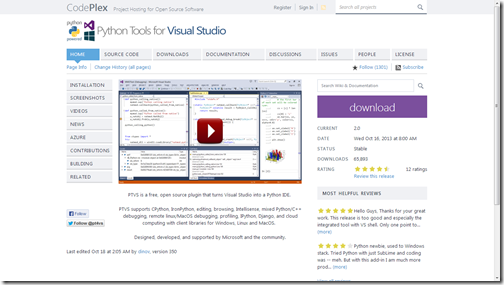
PythonToolsForVisualStudioCodePlex

Go to download and here you can download Python as per your visual studio version 2010,2012 or 2013.
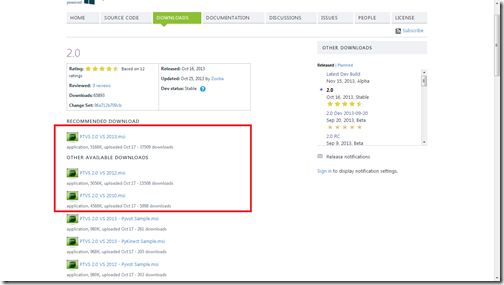
Pythontoolsfordiffrentvisualstudioversion

Installing Python Tools for Visual Studio :


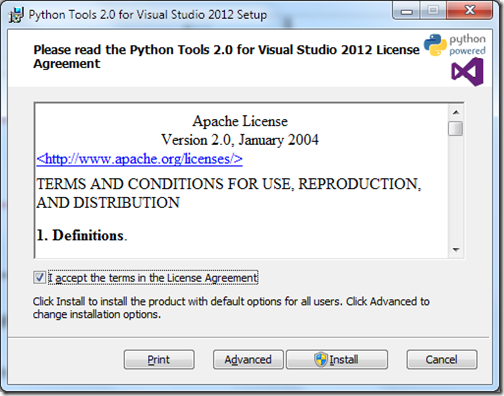
Installation of Python tools is quite easy. Download the setup files and run exe of for that setup. You will get following screen.
PythonForVisualStudioInstallation1

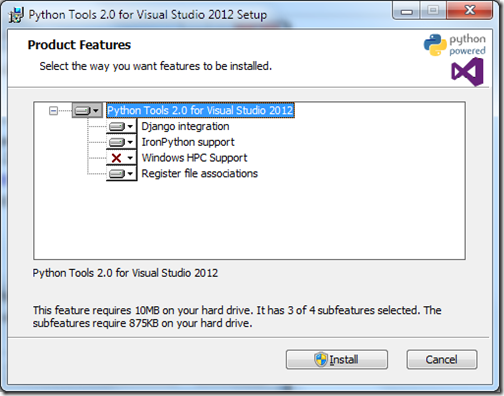
Accept terms in License Agreement and click on install. There is also advance mode available where you can select different options.
PythonForVisualStudioInstallation2

Once you click install it will start installing python tools.
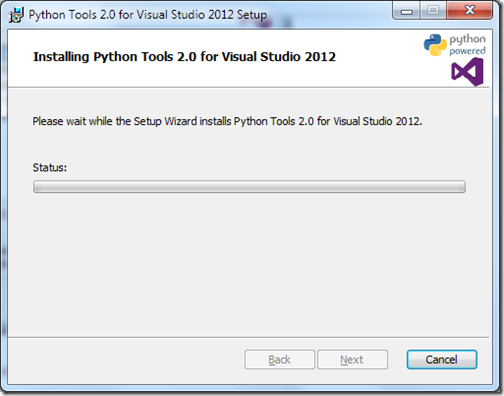
PythonForVisualStudioInstallation3

Once installation complete it will notify like below.
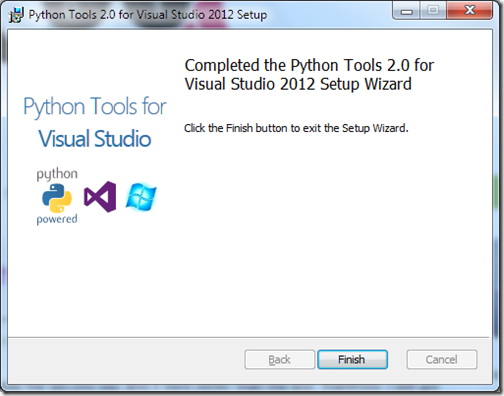
PythonForVisualStudioInstallation4

Click on finish and Yep you are ready to write code in python for Visual Studio.

Python and Visual Studio :


Now once you open Visual Studio and create a new project it will also Python as new language options.
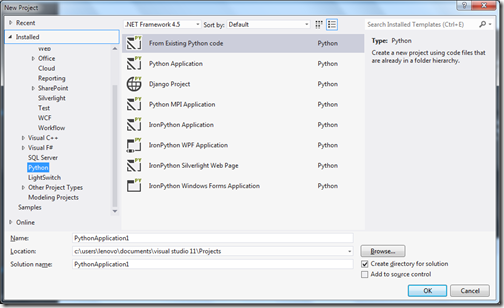
VisualStudioPythonProject

Here you have various like From Existing Application, Python Application, DJango Project, Python MPI application. You can also see there is IronPython support is also there.

That’s it. You can see its very easy. Hope you like it. Stay tuned for more..
Share:

ASP.NET and Web Tools 2013.1 Tools for Visual Studio 2012

Recently Microsoft has released ASP.NET and Web Tools 2013.1 for visual studio 2012. There are tons of new feature and improvements are there. So Now it’s possible to have all the latest feature on ASP.NET stack on Visual Studio 2012 like ASP.NET MVC 5, ASP.NET Web API 2, Entity Framework 6.0 etc.
You can download this update from the following link.

http://www.asp.net/visual-studio/overview/2012/aspnet-and-web-tools-20131-for-visual-studio-2012

ASP.NET MVC 5:


Once you install this tools, ASP.NET MVC 5 templates are also installed.

ASPNETMVC5VisualStudio2012ProjectTemplate

So now you can use all the ASP.NET MVC 5 feature like One ASP.NET, ASP.NET Identity,Bootstrap MVC template, Authentication Filters,Filter overrides etc.

ASP.NET Web API 2:


ASP.NET Web API2 is also available here.

ASPNETWebAPI2VisualStudio2012ProjectTemplate 

So all ASP.NET Web API2 features like attribute routing, Cross Origin Resource Sharing, OWIN (Open Web Interface for .NET), IHttpActionResult, Web API Odata all are available Visual Studio 2012.

Twitter BootStrap Template:


Now ASP.NET MVC 5 application comes with Twitter Bootstrap, So all goodies of Twitter Bootstrap will be there with your ASP.NET MVC application.

Entity Framework 6.0:


It’s also comes with Entity framework 6.0. Where you have some new great features like Async Query and Save,Connection Resiliency, Code-Based Configuration, Dependency Resolution, Interception/SQL Logging, Improved transaction support etc will be available in Visual Studio 2012 itself.

Also there is a new version of Nuget is also available with this release. So now if one developer has Visual Studio 2012 and another one is having Visual Studio 2013 then also they can work on same project.

This post is a just an overview of all the new features that are available with this release. I will write in detail about all this new features. Stay tuned for more..
Share:
Saturday, December 7, 2013

New Milestone achieved–600,000 visits for my blog

Today, I got a good news from www.sitemeter.com that My blog has completed 600,000 visits for my blog. It’s a great achievement. I have never thought I will go so far.  It’s because of readers of my blog so thank you very much for your support and love without you guys this was not possible. On this occasion I would also like to thank my family for always being there and supporting me whatever I do and believing in me that I could do that. Thanks you very family!!.

Here are few statistics of my blog.

Statistics for my blog - A blog about asp.net mvc and other microsoft technologies

So till now 600,505 visits and 763,338 page views I got about 253 unique visits everyday.

Again thank you very much all readers of this blog without you it was not possible. I will keep writing blog whenever I get time from my professional commitments. I am loving all the communities are there and always been part of that.

Please also suggest me topics for writing blog post. Stay tuned for more..
Share:

Support this blog-Buy me a coffee

Buy me a coffeeBuy me a coffee
Search This Blog
Subscribe to my blog


My Mvp Profile
Follow us on facebook
Blog Archive
Total Pageviews